Black Myth: Wukong is a genuinely punishing benchmark for Unreal Engine 5, and it doesn't hide it — this is a heavily GPU-bound game where even top-end hardware gets pushed hard once ray tracing enters the picture. The good news is that Game Science built in a wide settings spread, so the right configuration depends almost entirely on which GPU tier you're actually running, not on some universal "best settings" preset.
The baseline: rasterized performance
Without ray tracing, Wukong is far more approachable. At 1080p on Medium settings with upscaling engaged, even a mid-range card like the RX 6650 XT clears 60fps comfortably. This is the mode most players on older or budget GPUs should default to — Game Science's "cinematic" Ultra preset causes a disproportionate performance hit for a visual gain that's easy to miss mid-combat, with reports of frame rates dropping by more than half compared to High.
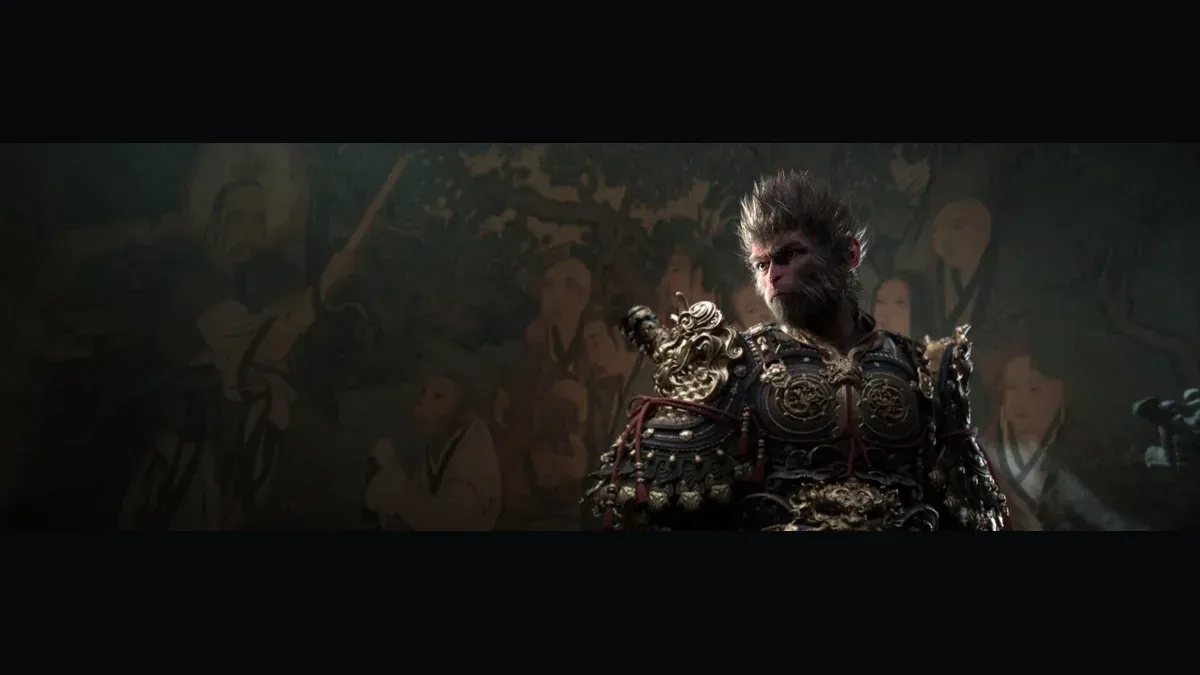
 Image credit: Game Science (official cover art, via Wikipedia) - verify rights before publication
Recommendation for GTX 1660/RTX 2060-class or older GPUs: stick to Medium-High settings, rasterized only (ray tracing off), with upscaling (DLSS/FSR) set to Balanced or Quality. This is where the game actually plays smoothly rather than technically running.
Turning on ray tracing: know the real cost
Ray tracing in Wukong is not a minor toggle — it fundamentally changes lighting fidelity, and it fundamentally changes the performance math too:
- An RTX 4070 manages around 58fps at 1440p with ray tracing maxed, which is close enough to a comfortable experience with upscaling assistance.
- An RTX 4090 can push close to 100fps in the benchmark tool with full ray tracing and DLSS 3 enabled, essentially the only GPU that treats these settings as "easy."
- AMD's flagship RX 7900 XTX holds just over 60fps with Medium/Low ray tracing, but drops to roughly 28fps once RT settings are maxed — a clear signal that Wukong's heaviest RT modes are effectively an Nvidia showcase, leaning on hardware and software (DLSS) that AMD's cards handle less efficiently here.
Recommendation: if you're on an RTX 3060 or better and want ray tracing, treat it as viable at 1080p-1440p with DLSS Quality or Balanced engaged, not at native resolution. Below an RTX 3060, ray tracing is going to cost more frame rate than most players will want to trade.
Path tracing: a screenshot mode, not a gameplay mode
Wukong also exposes a full path tracing option, and the honest take is that it should be treated as exactly that — a mode for stills, not combat. Even an RTX 4090 needs DLSS Ultra Performance just to hold 60fps at 4K with path tracing active, and Ultra Performance upscaling introduces enough softness that image quality gains from path tracing are partially self-cancelling. If you want path tracing for screenshots, drop to 1080p internal resolution first.
Practical settings recipes by GPU tier
- RTX 4090 / 7900 XTX (high-end): 1440p-4K, ray tracing High-Max, DLSS/FSR Quality. Reserve path tracing for photo mode.
- RTX 4070 / 4070 Ti (upper-mid): 1440p, ray tracing Medium-High, DLSS Balanced. Comfortably above 60fps in most encounters.
- RTX 3060 / RX 6650 XT (mid): 1080p-1440p, ray tracing off or Low, upscaling Balanced. Prioritize a stable frame rate over lighting fidelity — this is a combat game with parry timing, and stutter costs you fights.
- GTX 1660 / older (entry): 1080p, Medium preset, ray tracing off, upscaling Performance mode if frame rate still dips below 60.
Verdict
Black Myth: Wukong rewards Nvidia hardware disproportionately once ray tracing gets involved, and its Ultra/path-traced presets are genuinely built for future GPUs more than today's. Most players will get the best experience by running rasterized High settings with upscaling rather than chasing ray tracing on anything under an RTX 4070 — the combat clarity and consistent frame timing matter more than reflections in a game this mechanically demanding.
 Image credit: Game Science (Steam store assets) - verify rights before publication
Sources: Tom's Hardware and Yahoo Tech benchmark reporting on Black Myth: Wukong PC performance, DSOGaming performance analysis, NVIDIA GeForce ray tracing/DLSS coverage, and PCGamesN system requirements reporting.

Sofia benchmarks the hardware so you do not have to guess. With a background in PC building and a rig full of test GPUs, she runs every card and CPU through the same repeatable suite before publishing a verdict — real frame-time data, no marketing slide numbers. She has built more test benches than she can count and still gets excited unboxing a new GPU.


Comments
No comments yet — be the first to share your thoughts.